
PublicHD – home cinema, HD TV and legal streaming in the UK
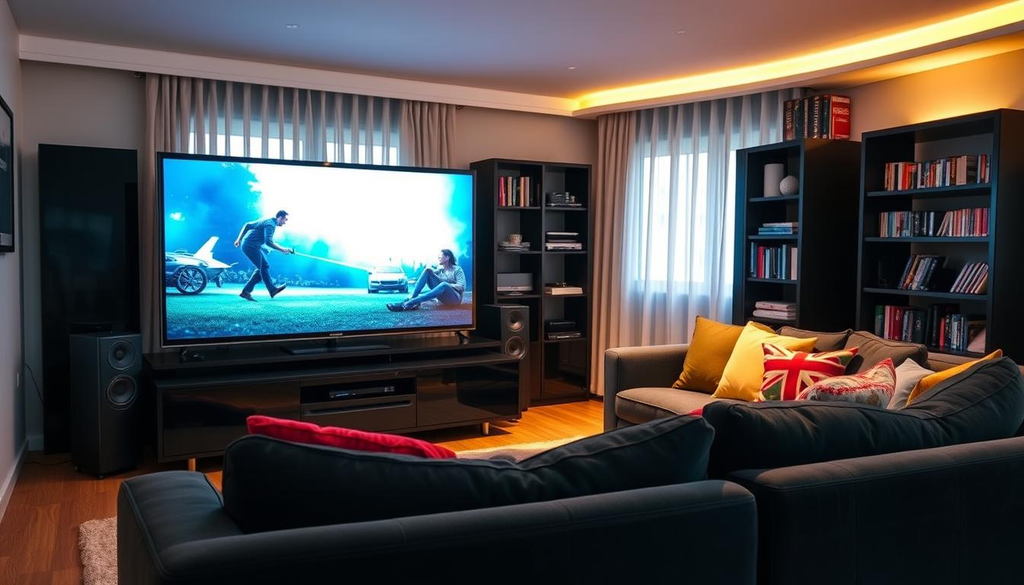
Welcome to PublicHD, your friendly companion for building a brilliant entertainment setup without the usual headaches.
We know that choosing the right 4K television can feel overwhelming. There are endless brands, specifications and price points to wade through.
On top of that, understanding legal streaming options and staying compliant with TV licence rules adds another layer of confusion for many households.
That’s exactly where we come in. Our team has spent years testing equipment, researching streaming services and following broadcasting regulations closely.
We’re not here to sell you anything. We’re independent, straightforward and focused purely on giving practical advice that works for real British homes.
Throughout this guide, we’ll walk you through everything from picking your first television to navigating licensing requirements with confidence. Think of us as the knowledgeable friend who’s already done the hard work, so you don’t have to.
Why Home Entertainment in Britain Is Changing
The way we settle down to watch television has transformed more in the last five years than in the previous fifty. Households across the UK are rethinking how they consume films, sport, and box sets. A single aerial and a handful of channels no longer cut it for most of us.
Traditional terrestrial viewing has quietly given way to a richer mix of smart TVs, streaming apps, and genuinely impressive home cinema UK setups. We now expect crisp 4K pictures, surround sound, and instant access to thousands of titles. This shift hasn’t happened overnight, but it has certainly gathered pace.
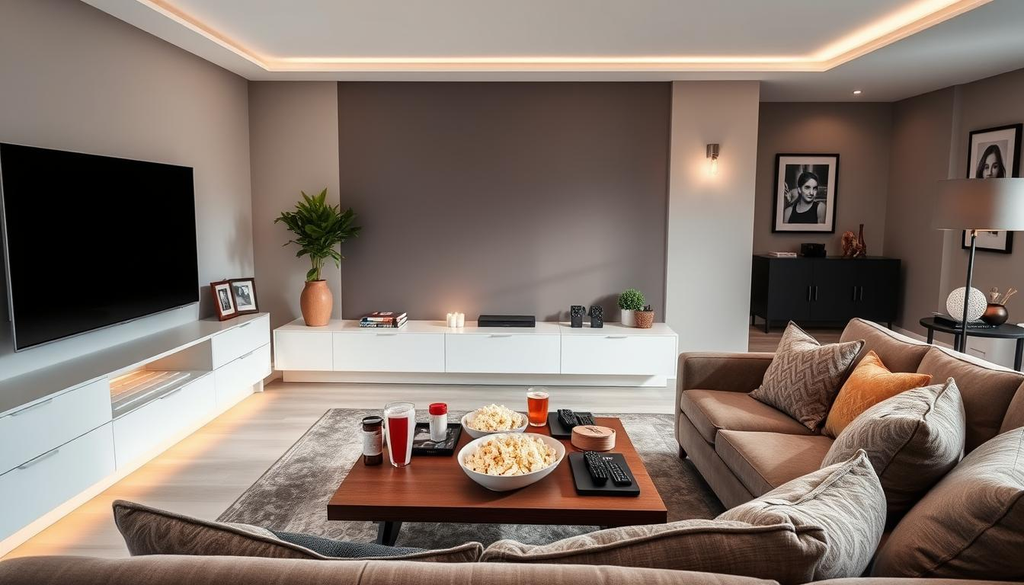
Lockdown played a significant part in accelerating this change. With cinemas closed and holidays cancelled, many of us poured spare budget into better screens, soundbars, and projectors. What started as a temporary fix during restrictions became a lasting investment in comfort at home.
Alongside this hardware upgrade, legal streaming UK platforms have flourished. Services offering on-demand films, documentaries, and live sport have become part of everyday life. Physical media, once the backbone of a film collection, now sits largely forgotten in cupboards across the country.
| Period | Typical TV Setup | Main Content Source | Physical Media Habits |
|---|---|---|---|
| Pre-2015 | Standard HD television, basic aerial | Freeview channels | DVD and Blu-ray collections common |
| 2016-2020 | Smart TV with Wi-Fi connectivity | Mixed terrestrial and streaming apps | Gradual decline in disc purchases |
| 2021-2023 | 4K smart TV, soundbar or AV receiver | Primarily streaming subscriptions | Minimal physical media use |
| 2024 onwards | Full home cinema UK systems | Legal streaming UK and hybrid services | Largely digital-only libraries |
These shifts explain why now is a sensible moment to think seriously about our own setups. Whether we’re choosing a new television, planning a dedicated viewing room, or simply trying to make sense of legal streaming UK options, understanding the bigger picture helps us make smarter decisions. The rest of this guide walks through exactly how to do that, step by step.
Designing a Home Cinema UK Setup That Works
Getting your home cinema UK setup right starts long before you buy any equipment. The room you choose, the screen size you pick, and the sound system you install all work together.
Get one piece wrong, and the whole experience suffers. We’ll walk through each decision so your home cinema UK project delivers real cinematic quality without wasted spending.
Choosing the Right Room and Layout
British homes rarely come with a purpose-built media room. Most of us work with a spare bedroom, a converted loft, or simply the lounge.
A rectangular room usually beats a square one for sound and sightlines. If you have a choice, pick the space with the fewest windows, since controlling natural light makes a huge difference to picture quality during the day.
Blackout curtains or roller blinds are a cheap fix for bay windows common in Victorian and Edwardian terraces. Seating matters too.
Position your main sofa centrally, facing the screen directly rather than at an angle. In smaller rooms, consider slimline furniture to free up extra floor space for better speaker placement.
Terraced housing brings its own challenge: shared walls. We’d recommend placing speakers away from party walls where possible, and keeping bass-heavy sound at sensible evening volumes to stay on good terms with neighbours.
Screen Size and Viewing Distance
Picking the right screen size depends almost entirely on how far you’ll sit from it. For 4K content, a simple rule works well: divide your viewing distance in centimetres by 1.5 to find the ideal screen size in inches.
Many British lounges measure between three and four metres in length, which limits practical screen sizes more than people expect. Overbuying a screen for a cramped room often results in eye strain rather than immersion.
| Screen Size | Minimum Viewing Distance | Recommended Room Width | Best For |
|---|---|---|---|
| 43 inches | 1.6 metres | 2.5 metres | Small bedrooms, flats |
| 55 inches | 2.1 metres | 3 metres | Standard lounges |
| 65 inches | 2.5 metres | 3.5 metres | Larger living rooms |
| 75 inches | 2.9 metres | 4 metres | Dedicated cinema rooms |
Sound Systems and Acoustic Treatment
Sound makes or breaks a home cinema UK experience, often more than screen quality does. A decent soundbar with a wireless subwoofer suits most lounges and requires minimal wiring.
For enthusiasts wanting genuine surround sound, a 5.1 system with rear speakers adds real depth to films and sport. Budget matters here, but even mid-range receivers now support Dolby Atmos.
Acoustic treatment doesn’t need to be expensive or permanent. Thick curtains, bookshelves, and rugs all absorb unwanted echo in rooms with hard flooring.
Renters can use freestanding acoustic panels or foam tiles that attach without damaging walls. These small adjustments often improve sound clarity more than upgrading the speakers themselves.
Choosing the Best 4K TV for British Homes
Our living rooms come in all shapes, sizes and light conditions, which is exactly why choosing a 4K TV isn’t a one-size-fits-all decision. A screen that dazzles in a darkened cinema room might look washed out in a bright, south-facing lounge. Before we spend our money, it helps to understand how panel type, HDR support and smart features actually affect everyday viewing.
OLED vs QLED: Which Suits Your Room
OLED panels produce true blacks because each pixel switches off individually. This gives films and dramas incredible contrast, especially in darker rooms where ambient light is low.
QLED screens, built around quantum dot technology, push out far higher peak brightness. That makes them a strong choice for sunnier rooms or homes with large windows, where glare can wash out darker scenes on an OLED set.
Budget matters too. QLED models often sit at a lower price point for similar screen sizes, while OLED tends to carry a premium for its superior contrast and viewing angles.
| Factor | OLED | QLED |
|---|---|---|
| Best room type | Dark or dimly lit rooms | Bright rooms with natural light |
| Contrast and blacks | Excellent, true black levels | Good, with slight light bleed |
| Peak brightness | Lower than QLED | Higher, better for daytime viewing |
| Typical price for 55-65 inch | Higher premium | More budget-friendly |
HDR Formats Explained
High Dynamic Range improves brightness and colour detail, but not all HDR is equal. Understanding the main formats helps us pick a 4K TV that actually supports what we watch.
- HDR10: The basic standard found on nearly every 4K TV, using fixed brightness settings for the whole programme.
- HDR10+: Adds scene-by-scene brightness adjustments, supported by Samsung and Amazon Prime Video content.
- Dolby Vision: Offers the most precise, frame-by-frame picture tuning and is widely used by Netflix, Disney+ and many UK broadcasters’ streaming apps.
For most British households, a 4K TV supporting Dolby Vision covers the widest range of streaming content, though HDR10+ remains useful for Amazon and Samsung users.
Smart TV Platforms and Apps
The operating system shapes how we actually use our 4K TV day to day. Samsung runs Tizen, LG uses webOS, and Sony typically ships with Google TV.
All three handle the big UK streaming names well, including Netflix, Disney+ and Amazon Prime Video. The real test, though, is support for British broadcaster apps.
- BBC iPlayer
- ITVX
- All 4
- My5
Most current-generation smart TVs from major brands include these apps pre-installed, saving us the hassle of adding a separate streaming stick. Checking app support before buying remains one of the simplest ways to avoid disappointment once the 4K TV is set up at home.
Freeview and Terrestrial TV Essentials
Streaming may grab the spotlight, but Freeview still delivers dozens of channels to millions of British households without any monthly fee. We rely on this service for news, sport, and entertainment, often without thinking about how it works behind the scenes. Understanding its features and fixing common reception problems can make a real difference to our daily viewing experience.
How Freeview Play Works
Freeview Play brings together live broadcast channels with catch-up services from major UK broadcasters. We can rewind missed episodes from BBC iPlayer, ITV Hub, Channel 4, and My5 directly through our television’s own interface. This hybrid system blends traditional terrestrial signals with internet-connected features, all without requiring a subscription.
Most modern smart TVs come with this platform built in, though we can add it through compatible set-top boxes too. The service uses our home broadband for on-demand content while the standard aerial handles live channels. This combination gives us flexibility that rivals paid streaming platforms, minus the recurring costs.
Aerials, Signal Strength and Troubleshooting
Poor reception remains a common frustration, particularly in rural areas or older homes with outdated aerials. Before calling an engineer, we can check a few simple things ourselves. Loose cables, damaged connectors, and incorrect tuning settings cause many reported issues.
Signal boosters often help when properties sit far from transmitters or face obstructions like hills and tall buildings. Upgrading from an indoor aerial to a rooftop model typically improves reliability for households experiencing frequent dropouts or pixelation.
The table below outlines common aerial options and when each one suits our needs best.
| Aerial Type | Best Suited For | Signal Reliability | Approximate Cost |
|---|---|---|---|
| Indoor Aerial | Flats and strong-signal urban areas | Moderate | £15–£30 |
| Loft Aerial | Houses with non-metal roofing | Good | £30–£60 |
| Outdoor Rooftop Aerial | Rural or weak-signal locations | Excellent | £80–£150 |
| High-Gain Aerial | Long-distance transmitter reception | Excellent | £100–£200 |
Legal Streaming UK: Services Worth Your Time
Streaming has become the default way most of us watch television, but not every platform offers the same value or safety.
We’ve tested our way through the crowded market of legal streaming UK services, and the differences between them matter more than many viewers realise. Picking the right mix saves money and protects your household from unnecessary risk.
Major Subscription Platforms
Netflix remains the benchmark for many British households, offering a deep library of films, series and original productions.
Amazon Prime Video bundles streaming with next-day delivery, making it an easy add-on for existing Prime members. Disney+ suits families thanks to its catalogue of animated classics, Marvel titles and Star Wars content.
NOW gives us flexibility through passes for entertainment, cinema and sport, without locking us into a long contract.
We recommend matching your subscription choices to actual viewing habits rather than chasing every new release. This approach keeps spending sensible while still delivering genuine value from legal streaming UK platforms.
| Platform | Monthly Cost (approx.) | Content Focus | Best For |
|---|---|---|---|
| Netflix | £4.99 – £17.99 | Originals, films, series | General viewing |
| Amazon Prime Video | £8.99 (with Prime) | Films, series, live sport add-ons | Prime members |
| Disney+ | £7.99 – £10.99 | Family, Marvel, Star Wars | Households with children |
| NOW | £9.99 – £34.99 (passes) | Entertainment, cinema, sport | Flexible, no-contract viewing |
Free and Ad-Supported UK Streaming Options
Quality viewing doesn’t always require a monthly fee.
BBC iPlayer gives us access to the full range of BBC programming, along with exclusive box sets and live channels. ITVX offers ITV’s archive plus original dramas, while Channel 4’s streaming service delivers documentaries, comedy and acclaimed box sets.
For extra variety, ad-supported services such as Pluto TV and Freevee provide free access to films and series in exchange for watching occasional adverts.
Together, these free UK streaming options prove that strong content doesn’t always come with a price tag.
Spotting and Avoiding Illegal Streaming Sites
Illegal streaming sites might look tempting, but the risks far outweigh any saved pounds.
Many of these sites expose devices to malware, hidden charges and data theft. Pop-up adverts often lead to scam pages designed to steal personal information.
We always check for official branding, secure payment pages and clear subscription terms before trusting a new platform. A legitimate service will never ask for unusual payment methods or excessive personal details.
Choosing legal streaming UK services also supports the actors, writers and production teams behind the content we enjoy. It keeps the wider creative industry healthy and ensures new shows keep being made for years to come.
TV Licence Rules Every Household Should Know
A TV licence might seem like a simple formality, yet the rules behind it trip up thousands of households every year. We often hear from friends and readers who assume streaming alone keeps them exempt, only to discover otherwise.
Getting this right matters, as fines for watching without a valid TV licence can be steep. Below, we break down exactly who needs one, what it costs, and where exemptions apply.
Who Actually Needs a TV Licence
You need a TV licence if you watch or record live television as it’s broadcast, regardless of the channel or device used. This includes live streams through apps, smart TVs, or even a laptop.
Watching BBC iPlayer also requires a TV licence, whether the content is live or on-demand. This single rule catches many people out, since they assume catch-up viewing falls outside licensing rules.
On-demand streaming through services like Netflix, Disney+, or Amazon Prime Video doesn’t require a TV licence on its own. However, mixing habits across platforms means many households end up needing one anyway.
Costs, Payment Plans and Discounts
A standard colour TV licence currently costs £169.50 per year. Black and white licences remain available at a reduced rate, though few households still use monochrome sets.
Payment plans make the cost more manageable, with options for weekly, fortnightly, or monthly instalments through direct debit.
| Licence Type | Annual Cost | Eligibility |
|---|---|---|
| Standard Colour | £169.50 | All households watching live TV or iPlayer |
| Black and White | £57.00 | Households using monochrome television sets |
| Over 75 (Pension Credit) | Free | Applicants receiving Pension Credit |
| Blind or Severely Sight Impaired | £84.75 | 50% discount with proof of registration |
Exemptions and Special Cases
Students living away from home often need their own TV licence, unless they only use battery-powered devices unplugged from the mains. Checking this detail saves unnecessary costs during term time.
Shared houses with separate tenancy agreements typically require individual licences for each tenant. Joint tenancies, however, usually need just one licence covering the whole property.
Households that stream exclusively through non-BBC on-demand services don’t need a TV licence at all. This exemption surprises many cord-cutters who assume any streaming triggers the requirement.
Connecting Your Devices for a Seamless Setup
Once we’ve chosen our screen and speakers, the next challenge is making everything work together smoothly. Many home cinema UK enthusiasts spend hours picking the perfect television, only to struggle with tangled cables and clashing remote controls afterwards. Getting the connections right turns a pile of separate boxes into one simple, enjoyable system.
Soundbars, AV Receivers and Cabling
HDMI 2.1 has become the standard worth looking for. It supports 4K video at 120Hz, which matters for gaming consoles and the latest streaming boxes. Older HDMI 2.0 ports still work fine for standard viewing, but newer kit benefits from the extra bandwidth.
British living rooms often have limited space behind the television unit, so cable management matters. Cable trunking, adhesive clips, and in-wall conduits keep wires tidy and reduce trip hazards. A little planning here saves frustration later, especially when adding new devices.
Choosing between a soundbar and a full AV receiver depends on the room and your expectations. The table below sums up the main differences.
| Feature | Soundbar | AV Receiver |
|---|---|---|
| Setup | Plug and play, minutes to install | Requires speaker wiring and configuration |
| Sound quality | Good for most living rooms | Superior surround sound for dedicated spaces |
| Typical cost | £150–£600 | £400–£2,000+ |
Universal Remotes and Smart Home Integration
Juggling four or five remotes nightly isn’t anyone’s idea of relaxing. Universal remotes solve this by learning commands from every device and combining them into one handset or app.
Voice assistants add another layer of convenience. Alexa and Google Assistant can power on the television, switch inputs, or launch a streaming app with a simple phrase.
Smart home ecosystems take things further still. Lighting, blinds, and audio can all respond to one command, creating a proper cinema atmosphere at the touch of a button. For anyone serious about their home cinema UK setup, this kind of integration removes the last bit of friction between choosing a film and actually watching it.
Keeping Your Home Cinema Future-Proof
Building a brilliant home cinema takes effort, and keeping it running smoothly takes just as much thought. Our favourite shows, apps, and picture settings only stay reliable if we look after the technology behind them. A little regular maintenance goes a long way towards protecting the investment we’ve made in our 4K TV and the rest of our setup.
Firmware Updates and Security
Smart TVs, streaming boxes, and AV receivers all run on software that needs regular attention. Manufacturers release firmware updates to fix bugs, add new features, and close security gaps that hackers could otherwise exploit. Skipping these updates leaves our devices, and our home network, more vulnerable than we’d like.
We’d recommend checking for updates every few months, or switching on automatic updates where that option exists. This matters even more once several devices share the same Wi-Fi network, since one weak link can expose everything else connected to it. Changing default passwords and keeping login details strong also helps keep prying eyes away from our viewing habits.
When to Upgrade Your Equipment
No television or sound system lasts forever, but that doesn’t mean we should replace kit at the first sign of age. Most equipment serves us well for five to seven years before real upgrades become worthwhile. A few clear signals tell us when it’s genuinely time to move on:
- Streaming apps stop receiving updates or crash frequently on the device
- Picture quality looks noticeably dull compared with newer 4K TV models in shops
- Broadcast standards change and older hardware can’t decode new signals
- The sound system struggles to connect with newer devices or audio formats
- Repairs or replacement parts cost nearly as much as buying new equipment
If none of these apply, there’s little reason to rush into buying new gear. Getting the most from what we already own makes both financial and environmental sense, and most well-maintained setups still perform beautifully for years after purchase.
Conclusion
A great home cinema UK setup doesn’t happen overnight. It grows from small, sensible choices: the right screen for your room, a sound system that fills the space without overwhelming it, and a mix of Freeview and legal streaming UK services that suits how your household actually watches television.
We’ve walked through the practical side of building this setup, from picking between OLED and QLED to understanding HDR, and from sorting out your aerial signal to choosing subscription platforms worth paying for. None of it requires a huge budget or technical expertise. It just takes a bit of planning and a willingness to adjust as your needs change.
Staying within TV licence rules matters just as much as picking good equipment. Watching live broadcasts or using BBC iPlayer without proper cover puts you at risk of fines, so it’s worth double-checking your situation before you settle in for a film night.
Technology in this space moves quickly, and what works brilliantly today might feel dated in a few years. We built this guide to be a resource you can return to, whether you’re setting up your first flat or upgrading a system you’ve had for a decade. Good viewing in Britain is within reach for every household, whatever your starting point.
FAQ
What’s the first thing we should consider when planning a home cinema UK setup?
We’d always recommend starting with the room itself rather than the equipment. Factors such as ambient light, wall colour, and seating distance will shape every other decision you make, from screen size to sound system. Getting the fundamentals of your home cinema UK layout right from the outset saves money and disappointment later on.
Is it worth buying an OLED or a QLED 4K TV for a typical British living room?
It depends largely on how much natural light your room receives. OLED panels offer superb contrast and deep blacks, making them ideal for darker rooms, while QLED models tend to handle bright daytime viewing better—something many of us deal with in south-facing lounges. We’d suggest matching the panel type to your room’s lighting conditions rather than chasing the latest specification.
Do we still need Freeview if we already subscribe to several streaming services?
Absolutely, in our view. Freeview remains a genuinely useful, cost-free complement to paid subscriptions, particularly for live news, sport, and terrestrial channels that aren’t always available on streaming platforms. Freeview Play also bundles in catch-up content, so it’s far from outdated technology.
How can we tell if a streaming site is legal in the UK?
Legitimate legal streaming UK services will always require proper payment or display clear advertising, hold licensing agreements with content creators, and won’t bombard you with suspicious pop-ups or demand unusual payment methods. If a site seems too good to be true, offering brand-new releases for free with no adverts, it almost certainly isn’t operating legally.
Do we need a TV licence if we only watch Netflix and Amazon Prime Video?
No, not if you’re exclusively watching on-demand content from services that aren’t broadcasting live. However, a TV licence becomes mandatory the moment you watch or record any live television broadcast, or use BBC iPlayer in any capacity, including catch-up content. It’s a distinction many households get wrong.
What’s the easiest way to connect a soundbar to our 4K TV without a mess of cables?
Most modern soundbars connect via a single HDMI ARC or eARC cable, which carries both audio and basic control signals between devices. We’d recommend checking that your TV supports eARC if you want the best audio quality from 4K content, and investing in decent cable management clips to keep everything tidy in smaller British living rooms.
How often should we update our smart TV’s firmware?
As soon as updates become available, ideally. Firmware updates don’t just add new features or app compatibility; they also patch security vulnerabilities that could otherwise leave your home network exposed. We’d suggest enabling automatic updates where possible to avoid forgetting.
Are there any free legal streaming UK alternatives to paid subscriptions?
Yes, there are several excellent options. BBC iPlayer, ITVX, and Channel 4’s streaming service all offer substantial libraries without any subscription cost, funded through advertising or the TV licence. Ad-supported platforms like Pluto TV also provide decent variety if you’re happy to watch occasional adverts.
How do we know when it’s time to upgrade our home cinema equipment?
We’d look out for a few telltale signs: apps no longer updating or crashing frequently, visible wear on cables and connectors, or newer broadcast standards your equipment simply can’t support. There’s no need to upgrade purely because something newer exists, but when core functionality starts to suffer, it’s usually time to consider a replacement.
Can poor aerial signal affect our Freeview viewing even with a good TV?
Yes, signal strength has nothing to do with your television’s quality. Older aerials, loose connections, or obstructions like trees and nearby buildings can all degrade reception, regardless of how advanced your 4K TV is. We’d always suggest checking aerial condition and positioning before assuming the television itself is at fault.